
Your Social Posts Just Got a Whole Lot Smarter
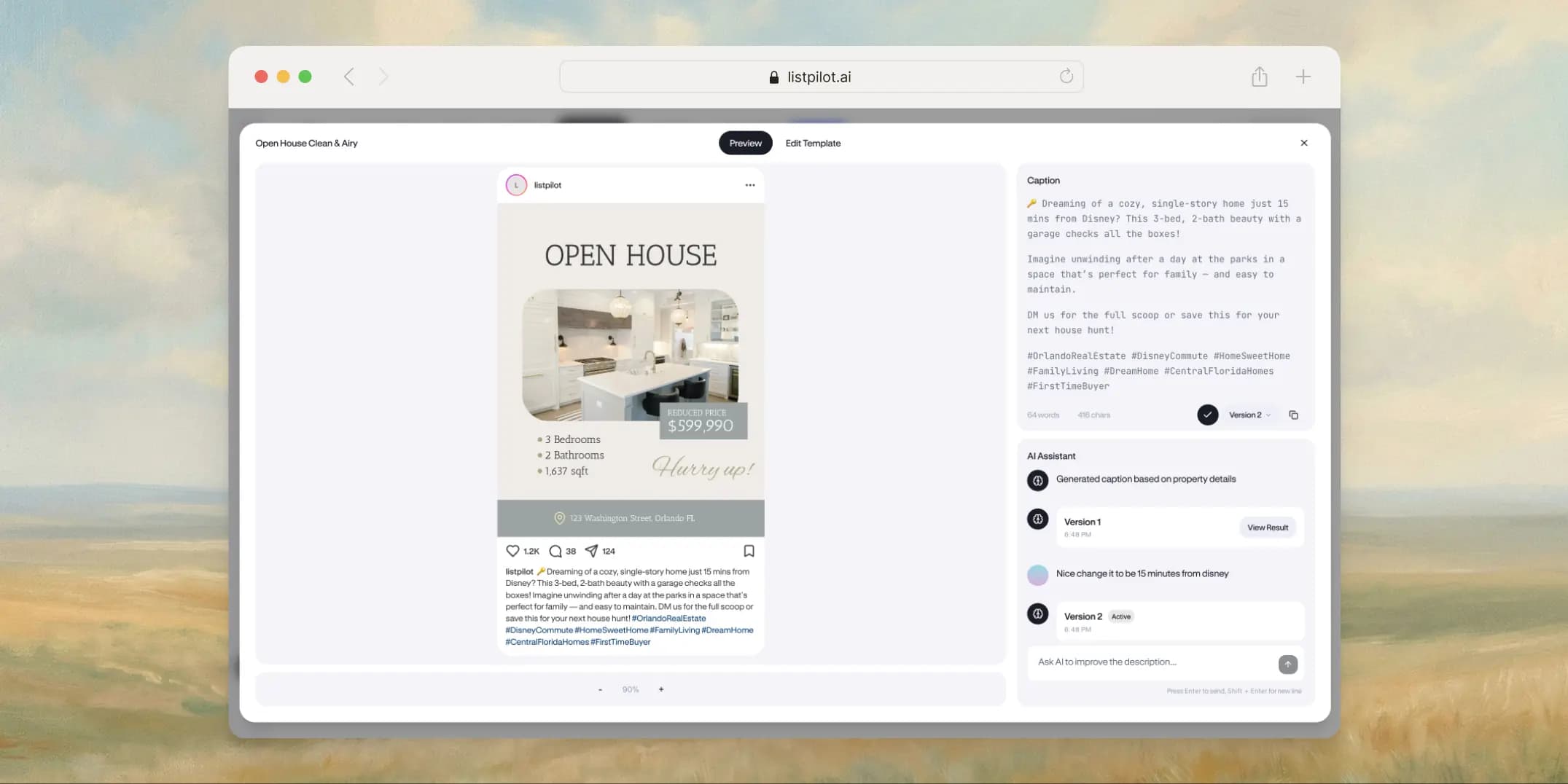
Each social post now has its own workspace where you manage the image, caption, and a live platform preview all in one place.
Your Social Posts Just Got a Whole Lot Smarter
Listpilot has always been able to generate social media graphics for your listings. Pick a template, customize the design, export an image. That part worked fine. But we kept hearing the same thing from agents: "I still have to write the caption separately."
Fair point.
So we rebuilt how social posts work.
The Post Control Center
The biggest change is what we're calling the Post Control Center. Instead of just handing you an image file, each social post now has its own workspace. You manage the image, the caption, and a live preview of the finished post all in one place.
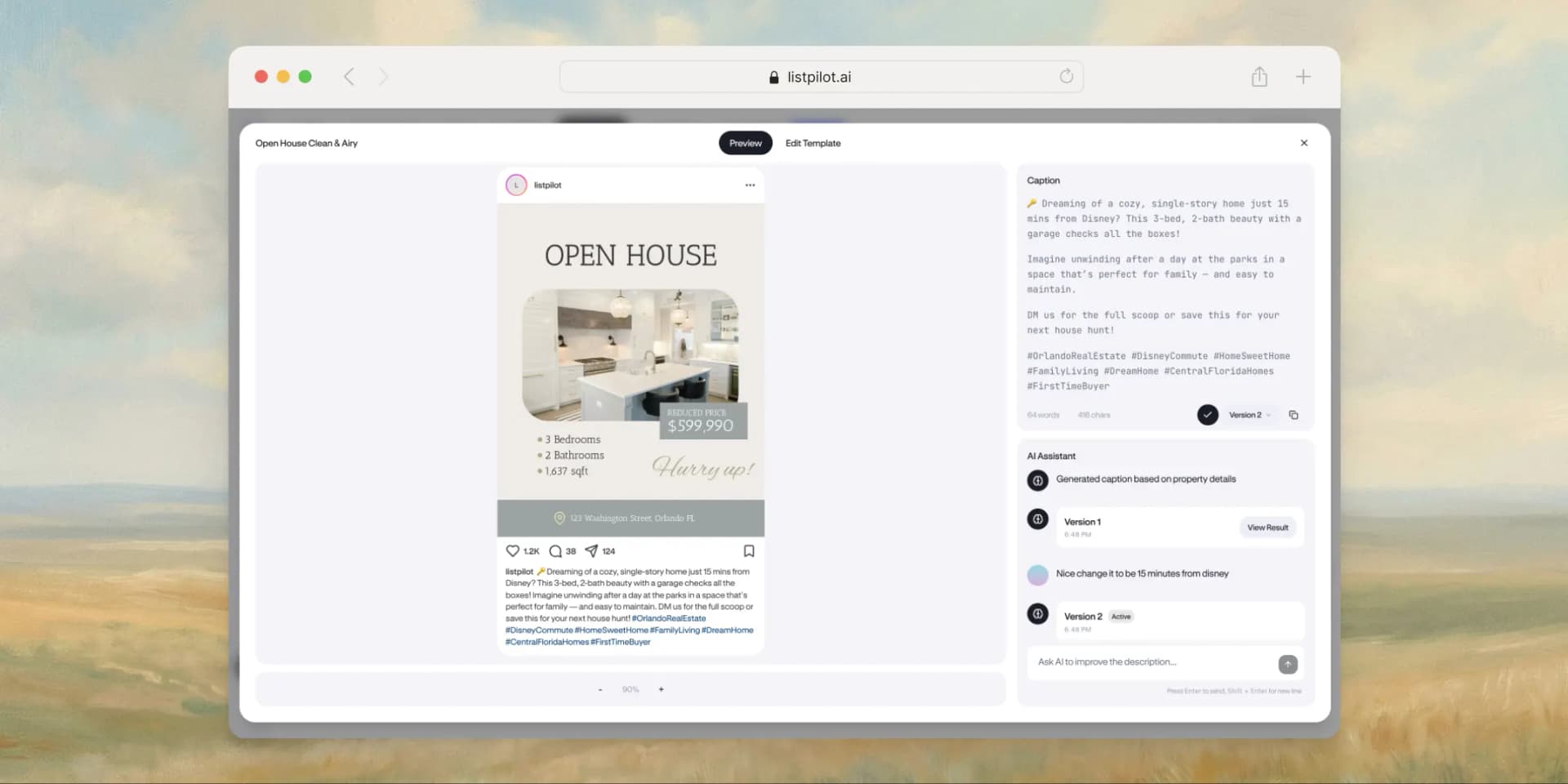
When you open any social post, you land on the Preview tab. On the left side, your image sits inside a frame that mimics the actual platform, with the avatar, username, action icons, and your caption below the image. It looks the way it will on Instagram or LinkedIn. On the right, there's a caption panel with version history and an AI chat.
You can see how everything looks together before you publish.
Captions are part of the post now
This is the other big piece. Hit "Generate Caption" and the AI writes a caption using your actual listing data: the property details, features, location, price. It writes for the specific platform you're posting on, so an Instagram caption reads differently from a LinkedIn one.
You're not stuck with the first draft, though. The AI chat sits right below your caption. You can tell it "make it shorter," "add more hashtags," "focus on the kitchen renovation," or "write it in Spanish." Each revision saves as a new version. Flip between them with the version selector, star the one you want, copy it in one click.
The whole back-and-forth of writing captions in a separate app is gone.
Edit the design without leaving
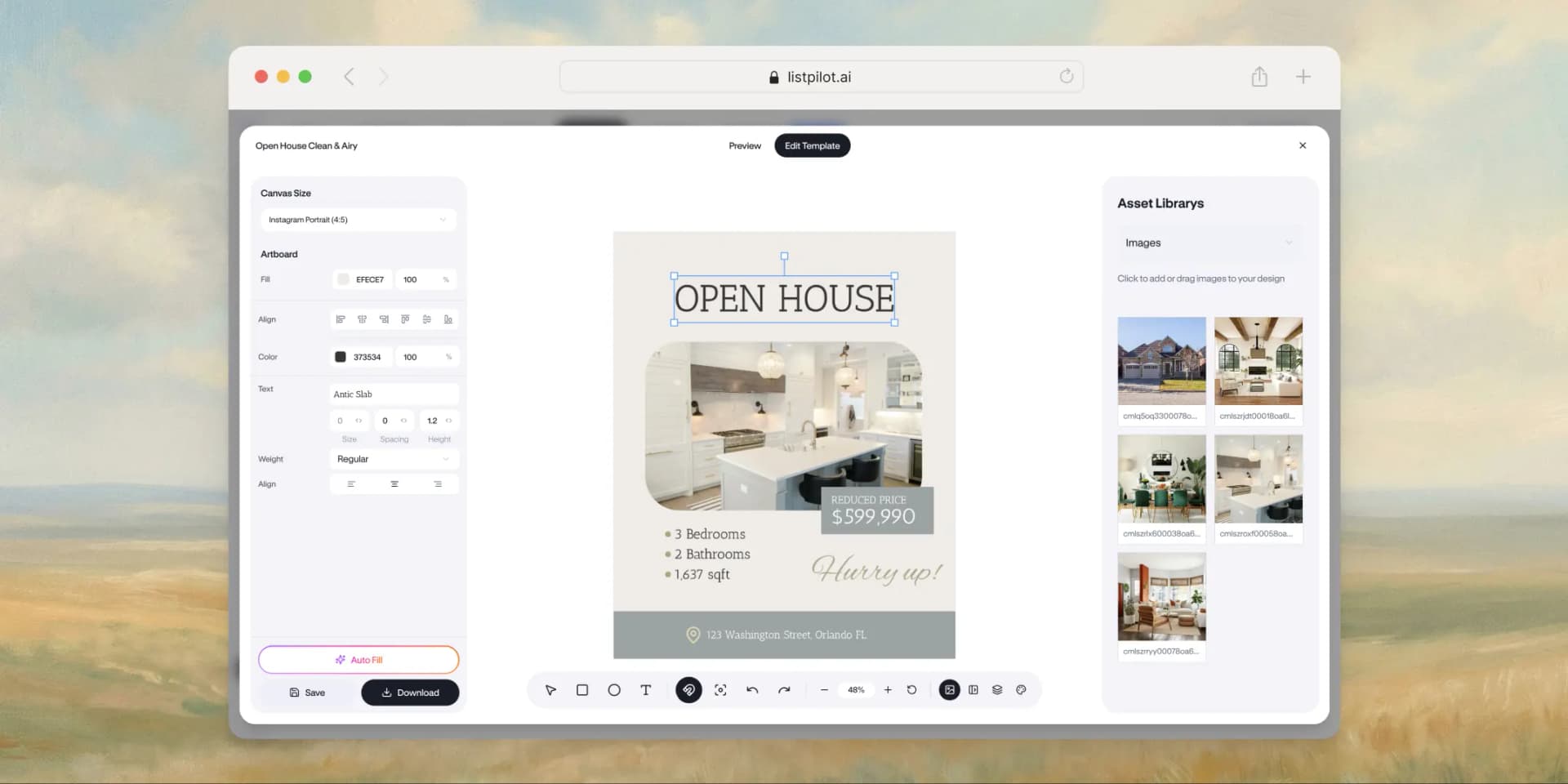
There's an "Edit Template" tab that loads the full post editor inside the same modal. Change text, swap images, move things around. When you save, the preview updates right away so you see the finished result with your new design applied.
Other updates
We shipped a few more things alongside the Post Control Center:
Light and dark mode. The app now supports both themes. It follows your system setting by default, but you can override it.
Cleaner UI. We went through the interface and stripped out visual noise. Flatter cards, tighter spacing, no more drop shadows. The navigation is more consistent across pages.
Better AI descriptions. The listing description generator got a rewrite too. The prompts produce tighter copy with fewer filler phrases and less repetition. This applies to listing descriptions, not just social captions.
More templates. The marketplace has new templates across more platforms and styles. More starting points for Instagram stories, LinkedIn posts, Facebook ads.
The workflow, before and after
Before: design an image, export it, open a separate text editor, write a caption from scratch, preview it on your phone, go back and revise, copy-paste into your scheduling tool.
Now: open the Post Control Center, generate the caption, refine it through chat, preview the whole post in a platform frame, download when it looks right.
We wanted Listpilot to be the only tool between getting a listing and posting about it. This gets us there.